How to Uncover Future Characters in Invincible Vs: A Datamining Guide
Overview
Invincible Vs has launched, and the game's files are already being scoured by the datamining community for hints about upcoming characters. This guide will walk you through the process that dataminers use to find clues about unannounced fighters, from extracting game assets to interpreting cryptic evidence. Whether you're a curious player or an aspiring dataminer, these steps will help you understand how future content is predicted.
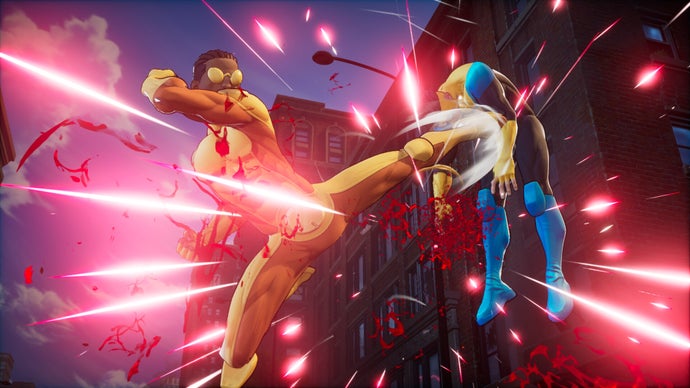
By following this tutorial, you'll learn the essential techniques for sifting through Invincible Vs's data, spotting potential new characters, and avoiding common pitfalls. The goal is not to guarantee exact predictions but to give you a structured approach to reading the digital tea leaves left by developers.
Prerequisites
Before you start, you'll need a few tools and a basic understanding of how the game stores its data. Here's what you should have:
- A copy of Invincible Vs: The game must be installed on your PC (Steam or Epic Games Store version). Console versions have encrypted files and are much harder to access.
- FModel: A free, open-source UE4/UE5 file explorer. It can open the game's PAK files and extract assets like textures, models, and audio.
- UE Viewer (UModel): An alternative to FModel, useful for viewing 3D models and animations.
- Basic command-line skills: Some steps may involve simple terminal commands, but most tools have GUIs.
- Patience and skepticism: Not every odd file means a new character. Devs often leave placeholder or test data.
Step-by-Step Instructions
1. Extract the Game Files
Datamining starts with getting access to the raw game files. Invincible Vs uses Unreal Engine 4, which packages assets into .pak files located in the game's Content/Paks folder. Follow these steps:
- Open FModel and set the game directory to where Invincible Vs is installed (e.g.,
C:/Program Files/Epic Games/InvincibleVs/). - Click on "Set Game Directory" and then "Open PAK File". Select the largest .pak file (often named
pakchunk0.pak). - FModel will parse the file and display a tree of folders. Look for directories like
Characters,Heroes, orVillains. - Export the entire character folder by right-clicking and selecting "Export Folder". This will save all assets (textures, sounds, animations) to your local drive.
2. Locate Character-Related Data
Once exported, you'll have hundreds of files. The key areas to examine include:
- Textures (.png, .tga): Silhouette images, concept art, or icons for selection screens. Look for files with names like
T_Hero_Unusedor characters not yet in the game. - Audio (.wem, .ogg): Voice lines or sound effects. Use a tool like
ww2oggto convert .wem files. Listen for new character names or attacks. - Blueprint files (.uasset): These contain game logic. While harder to read, you can search for strings like character code names (e.g., "OmniMan_Proto").
- Localization files (.locres): Text strings. Open with a hex editor or UE4's Localization Dashboard. Look for entries with a "Name" field that doesn't match current rosters.
A useful trick is to search for common patterns across all exported files. For example, if you find a texture named T_SelectIcon_AtomEve_Alt, it hints at an alternate skin or a new version of an existing character.
3. Analyze for Hints
Not all discovered assets are evidence of future characters. You need to interpret what you find:
- Unused models: A complete 3D model (skeletal mesh) with a name like
SK_MonsterGirlthat doesn't appear in-game is a strong hint. Open it in UE Viewer to see the design. - Voice lines: If you hear a character shout "Battle Beast incoming!" but Battle Beast isn't playable, that's a near-confirmation.
- String references: In localization files, a line like
CHARACTER_NAME_BATTLE_BEASTwith an empty value often means the name is reserved. - Animation files: New rigs or locomotion sets for a character specific to a future DLC. Check folder names like
Animations/BattleBeast.
4. Cross-Reference with Community Leaks
Datamining is a team effort. Check forums like Reddit's r/InvincibleVs or Discord channels for shared findings. Cross-reference your discoveries with known leaks to confirm or debunk your theories. For example, if you find a model for "Rex Splode" and the community has datamined his voice lines, you have strong evidence.
5. Verify Through Updates
Developers often patch out placeholder data or add new files incrementally. After each game update, repeat the extraction process. Compare versions to see if a previously unused file now has a reference in the main game. New entries in the character select screen code often appear first.
Common Mistakes
Even experienced dataminers can misinterpret clues. Here are frequent errors to avoid:
- Assuming placeholder files = final content: Developers often leave test characters (like "Hero_Temp") that are never released.
- Ignoring version differences: A file present in the beta but removed from release may be scrapped content, not upcoming DLC.
- Misreading texture names: A texture called
T_Icon_Invinciblemight be a duplicate from an earlier build, not a new character. - Overreliance on single clues: One stray string is not enough. Look for multiple independent hints (model + voice + code reference) before concluding.
- Forgetting about legal issues: If a character is heavily rumored but no datamined evidence appears, they might be under strict NDA or part of a future season pass that hasn't been added to files yet.
Summary
Datamining future characters in Invincible Vs is a systematic process of extracting, searching, and interpreting game files. Start with FModel to unpack assets, then focus on textures, audio, and localization strings. Cross-reference with the community and verify through game updates. Always remain skeptical—placeholders can fool even the sharpest eyes. With practice, you'll be able to spot clues that hint at the next wave of heroes and villains before they're officially announced.